Monitor Overview
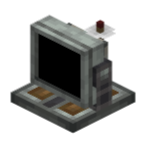
The Modular Monitor is CCPE's interactive information terminal: a 12×10 grid of module slots on which you can install buttons, switches, knobs, screens and other modules, freely controlled via Lua from a CC:T computer.
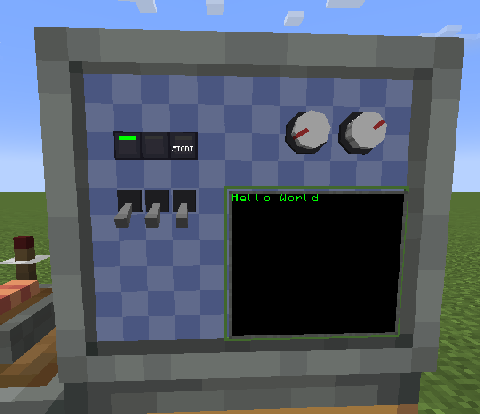
Getting the Monitor Peripheral
The Monitor's CC:T peripheral type is "ccpe:monitor", and there are two ways to get it:
Method A: Via a Channel (recommended, works at any distance)
Using the Peripheral Extender's channel system, get the Monitor peripheral at any distance:
local pe = require("ccpe.pe")
local monitor = pe.getPeripheral(3)   -- 3 is the Monitor's global channel number
Method B: Direct CC:T Peripheral
When a computer is placed adjacent to the Monitor, wrap it directly:
monitor itself provides module/screen query methods and sound methods (see Monitor). The obtained "module instances" then provide their own get/set methods.
Module Types
| Type | Description | Docs |
|---|---|---|
button_1 |
Button (momentary; player click detection / interaction lock / light strip control) | Button Module |
toggle_switch |
Toggle switch (latching) | Switch Module |
knob |
Knob (angle 0..360) | Knob Module |
screen |
Screen (cell-model text rendering + free-position graphics) | Screen Module |
Common Module Instance Methods
The following methods are available on all module types (button_1 / toggle_switch / knob) as well as screens (screen) (handle denotes any module instance).
| Method | Description |
|---|---|
handle.getId() |
Returns the unique ID (number) of this module/screen within the Monitor |
handle.getType() |
Returns the type name string: "button_1", "toggle_switch", "knob" or "screen" |
handle.getX() / handle.getY() |
Returns the grid coordinates of the module/screen's top-left corner (numbers) |
handle.getWidth() / handle.getHeight() |
Returns the occupied size (in cells, numbers). E.g. the knob is 2×2 |
handle.setTooltip(text) |
Sets the tooltip text shown for this module in the config GUI/on hover (for screens, writes the hover description text tooltipText) |
print(mod.getId(), mod.getType())   -- 7  toggle_switch
mod.setTooltip("Feed valve")
screen.setTooltip("Pressure gauge")
Conventions & Notes
- mainThread rules: all pure get methods are
mainThread = false(read directly on the computer thread, low latency); all set / action methods aremainThread = true(written on the server main thread, safe). Note thatwasClicked()/clearClicked()are "read-and-clear", so they count as actions and run onmainThread = true. - Grid coordinates:
x0..11,y0..9 (12×10 grid). - Module IDs: unique within a Monitor; modules and screens share one namespace.
- Returns nil: returns
nilwhen not found (empty cell / invalid ID).
Complete Example
local pe = require("ccpe.pe")
local monitor = pe.getPeripheral(3)

-- Inspect the module on a cell
local mod = monitor.getCellModule(3, 4)
if mod then
    print("type:", mod.getType(), "id:", mod.getId())
    mod.setTooltip("Description set from Lua")

    if mod.getType() == "toggle_switch" then
        mod.setToggleState(true)
    elseif mod.getType() == "knob" then
        mod.setAngle(135)
    elseif mod.getType() == "button_1" then
        mod.press()
    end
end